RI-BIT Cookie Exception - Firefox

FIREFOX
To check or change your settings:
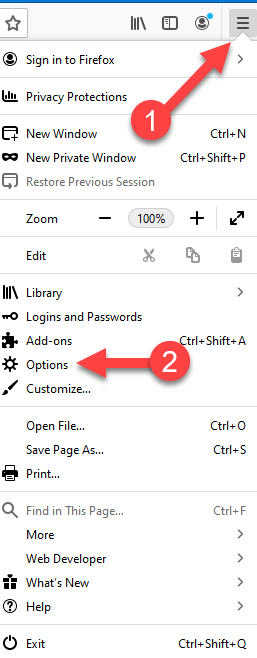
- Click the menu button
 and choose Options.
- Select the Privacy & Security panel.
- Scroll down to Cookies and Site Data
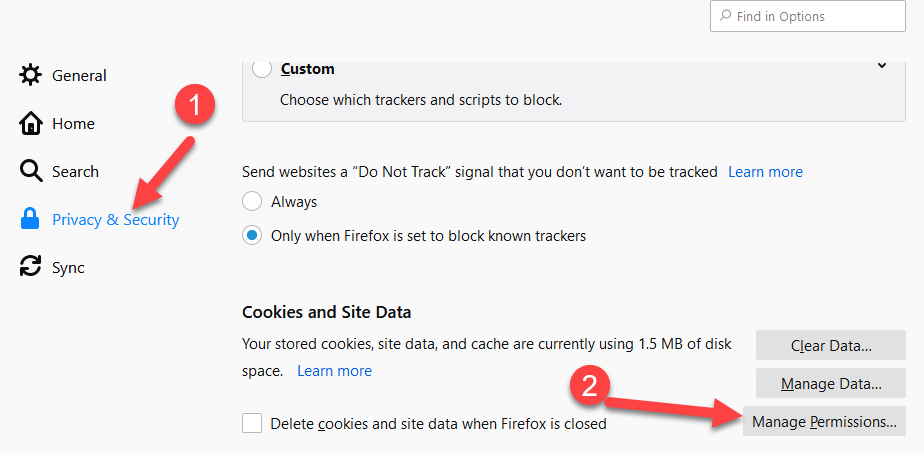
- Click on Manage Permissions
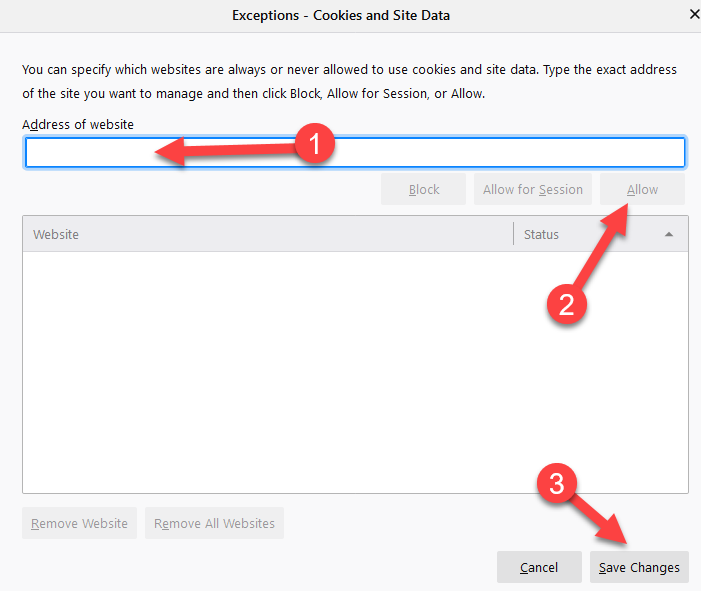
- Type: www.ri-bit-mck.com
- Click Allow
- Click Save Changes
- Close the Options panel for Firefox